

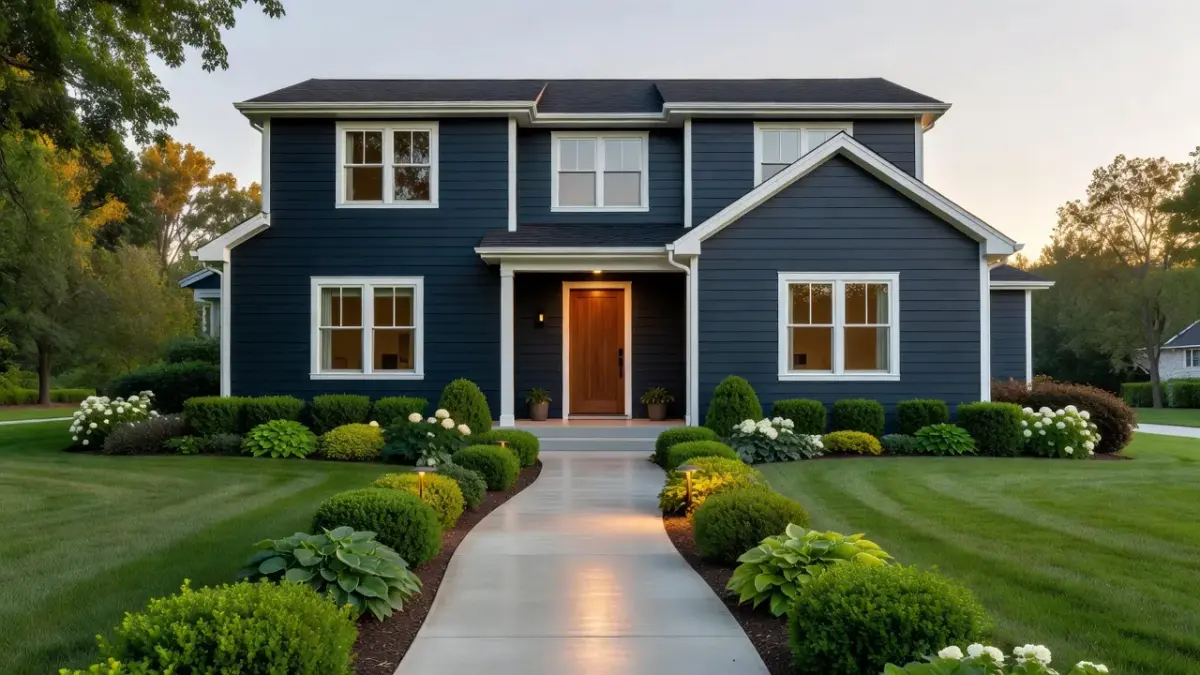
Curb appeal AI refers to software that generates realistic visual representations of home exterior upgrades directly from a standard photo. Unlike legacy 3D rendering tools that require manual CAD drafting or polygon mapping, AI visualizers automatically detect architectural elements like siding, roofs, front doors, and landscaping to simulate paint changes, material swaps, and garden layout edits in seconds.
Homeowners, real estate agents, and contractors previously relied on expensive architectural renderings or crude paint mockups to preview exterior changes. Today, modern generative algorithms use computer vision to distinguish between structural walls, foliage, and concrete walkways. By understanding depth and surface geometry, these platforms allow users to test high-cost exterior projects virtually before committing a single dollar to contractors or buying gallons of paint.
What is curb appeal AI and how has exterior visualization evolved?
Curb appeal AI is generative design software trained on architectural photography to simulate home exterior renovations in real time. By recognizing elements like brick texture, roof pitch, window trim, and surrounding flora, these models repaint walls, lay down stone pavers, or swap out garage doors while preserving accurate lighting and shadows.
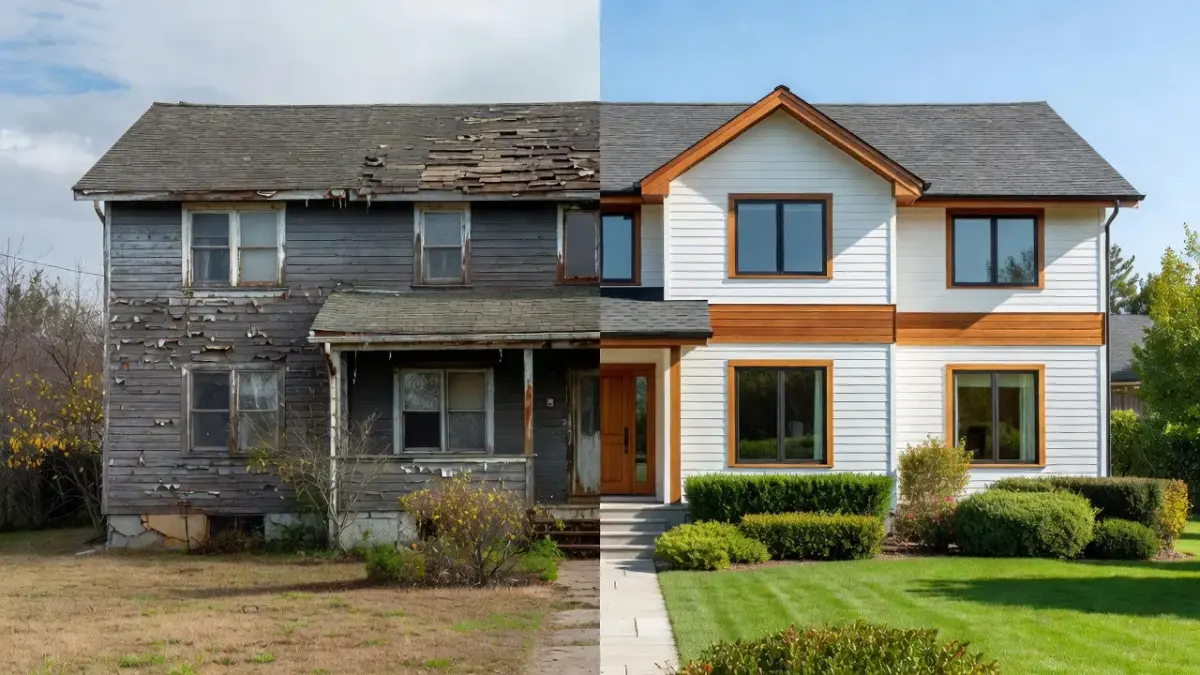
The transition from manual visualizers to generative AI has permanently altered residential exterior planning:
- Legacy Paint Visualizers (2010–2020): Relied on manual line-tracing and rudimentary color overlays. Users spent hours setting anchor points around windows only to end up with flat, unconvincing paint blocks that ignored shadows and foliage.
- Parametric 3D CAD Tools: Required measuring every exterior dimension and uploading CAD files or floor plans. While accurate, these platforms cost thousands of dollars and required professional drafting expertise.
- Generative AI Visualizers (2024–Present): Process standard smartphone photos directly. Computer vision models segment the image into layers, allowing instant material replacement with photorealistic light diffusion and texture blending.
Using dedicated applications like Renova AI, home buyers and owners can preview over 100 distinct architectural styles without touching a manual selection tool. The platform handles wall repainting, floor and patio swaps, and front yard landscaping in a single step.
What are the best AI tools to visualize home exterior curb appeal before and after?
The best AI tools to visualize home exterior curb appeal before and after combine automated surface segmentation with photorealistic rendering across siding, roofing, and landscape elements. Choosing the right tool depends on whether you need quick color previewing, contractor-grade material takeoffs, or instant design concepting.
| Input | Tool Category | Output |
|---|---|---|
| Upload Exterior Photo | AI Generative Visualizer (Renova AI, Houzz, etc.) | Instant Style Concepts, Color & Trim Previews, Landscape Redesigns |
| Upload Exterior Photo | Contractor CAD/Measurement Tool (HOVER, Renoworks, etc.) | Precise Material Takeoffs, Construction Estimates, 3D Mesh Construction |
To decide which platform fits your workflow, consider how top tools compare across technical requirements, pricing structures, and core capabilities:
| Visualizer Tool | Primary Use Case | Manual Setup Required? | Free Tier / Trial Options | Key Capability |
|---|---|---|---|---|
| Renova AI | Instant exterior style, paint, and garden concepting | None (fully automated photo processing) | 3 free generations, then $6.99/wk or $59/yr | 100+ preset design styles, landscape redesign, zero manual editing |
| HOVER | Contractor measurement & 3D mesh building | Low (guided photo capture sequence) | Paid per property report / professional subscriptions | Converts photos into scaled 3D CAD models for precise roofing/siding quotes |
| Renoworks | Building product manufacturer previews | High (manual mask tracing required on base tier) | Varies by manufacturer partner portal | Deep catalog integration with specific siding and roofing brands |
| Home Depot Project Color | Consumer exterior paint testing | Medium (tap-to-fill masking) | Free app | Maps specific paint colors to exterior wall surfaces |
| Houzz Visualizer | Fixture and decor placement | Medium (manual placement overlay) | Free platform integration | Overlaying light fixtures, doors, and hardware on existing structures |
As of October 2026, the market has split into consumer-facing generative apps that deliver instant creative concepts and enterprise platforms designed to generate contractor material lists.
How do HOVER and Renoworks compare for curb appeal visualization?
HOVER transforms photos into scaled 3D CAD models for precise contractor estimates, whereas Renoworks applies product overlays to 2D photographs for building material manufacturers. The primary distinction lies in underlying geometry: HOVER reconstructs the home's true dimensions, while Renoworks projects textures onto masked 2D photos.

Technical Architecture
HOVER requires users to take 8 to 12 photos walking around the perimeter of the home. Its computer vision processing reconstructs a true-to-scale 3D mesh, complete with exact exterior surface measurements for siding, roof pitch, and window trim. According to HOVER's technical platform overview, this photogrammetry engine yields measurements accurate within fractions of an inch, making it a staple for roofing and siding installers.
Renoworks operates largely as an interactive surface masking engine. Users upload a single flat image, outline the surfaces to be changed (or pay a fee for automated masking), and apply digital texture maps supplied by siding and stone veneer brands.
Cost and Target Audience
- HOVER: Targeted at professional contractors, insurance adjusters, and homeowners undertaking complete exterior envelope overhauls. Single-property measurement reports generally range from $20 to $50 depending on detailed reporting tiers.
- Renoworks: Integrated directly into manufacturer websites (like CertainTeed or James Hardie) as an embedded iframe visualizer. While freely available through consumer portals, full enterprise access for custom contractor branding carries enterprise licensing fees.
If your goal is verifying whether a house needs new siding materials or estimating structural material costs, HOVER provides the required measurement backend. If you want to experiment with different design styles and garden layouts without building complex 3D wireframes, single-photo AI apps like Renova AI eliminate the friction of multi-angle photo capture.
How does Houzz's exterior visualizer paint tool work for curb appeal?
Houzz's exterior visualizer works by layering digital product catalogs and paint swatches onto uploaded home photos using augmented reality (AR) and standard photo editing tools. Built directly into the Houzz mobile app, the visualizer focuses on helping homeowners audit product purchases like exterior sconces, shutters, front doors, and accent paint colors.
To use the Houzz visualizer for exterior projects:
- Upload a clear photo of your front entryway or full exterior façade.
- Select product categories such as wall-mounted lighting, house numbers, or porch furniture from the Houzz marketplace.
- Position and scale items over the base photo using manual touch gestures.
- Apply color swatches to trim and front door zones using the platform's surface fill utility.
While effective for evaluating specific fixtures sold on the platform, Houzz relies heavily on manual scaling and positioning. It does not automatically re-render environmental lighting, shadows, or complex natural elements like overgrown shrubbery.
Homeowners addressing curb appeal often combine product sourcing tools like Houzz with foundational landscaping edits. For example, testing structural entry changes paired with proper hardscaping layout planning—such as adding a custom front walkway—ensures both architectural lighting and ground hardscaping work in harmony.
How does Home Depot Project Color visualize exterior house changes?
Home Depot Project Color uses a digital paint-mapping algorithm to match uploaded photos against the retailer's catalog of Behr and Glidden paint colors. Designed primarily for quick surface recoloring, the application identifies high-contrast edges to keep paint swatches contained within exterior wall sections, window frames, or door trim.
- Upload Front View Photo
- Edge Detection Masking
- Apply Behr/Glidden SWATCH
- Shadow & Lighting Blend
The rendering engine operates through three basic steps:
- Edge Detection: The app attempts to delineate where a wall ends and a window frame begins based on contrast differentials.
- Color Overlay: The chosen digital paint hue replaces the pixels inside the masked boundary.
- Luminance Adjustment: The app preserves original shadow patterns by blending hue changes over the underlying grayscale lightness values of the original image.
Operational Limits
Because Project Color focuses strictly on paint, it cannot simulate structural changes like removing non-load-bearing shutters, adding stone veneer accents, or replacing a garage door. Furthermore, shadows cast by heavy tree canopy can confuse edge-detection algorithms, sometimes resulting in paint bleeding into surrounding leaves or trim.
For homeowners choosing exterior paint palettes, pairing paint testing tools with curated color guides—such as studying top picks from Sherwin Williams exterior combinations—prevents common color-clashing mistakes across main body, trim, and door accents.
How does RoOomy work for exterior home renderings?
RoOomy operates as a virtual staging and 3D modeling service that translates 2D exterior photographs into fully realized virtual property environments. Unlike consumer mobile apps that rely on instant generative filters, RoOomy historically relied on a hybrid pipeline combining automated spatial reconstruction with manual 3D artist polish.
According to research published by the IEEE Xplore Digital Library on Spatial Visualization, converting 2D images into interactive 3D virtual environments requires calculating camera focal lengths, vanishing points, and real-world scale vectors. RoOomy's system extracts these spatial parameters from simple exterior photos to build clean virtual representations.
Key operational characteristics include:
- Virtual Staging Integration: Designed primarily for real estate brokerages to virtually furnish empty porches, patios, and decks.
- Architectural Modification: Allows listing agents to update dated exterior features—like replacing worn timber railings with black wrought iron—before launching virtual property tours.
- High Photorealism: Because human artists review and finish high-tier renders, output quality avoids the strange visual artifacts common in early generative AI models.
The primary trade-off with RoOomy is turnaround time and cost. Rendering jobs can take anywhere from 24 to 72 hours per perspective, making it better suited for high-value real estate listings than casual weekend brainstorming sessions.
How does Modsy work for exterior design visualization?
Modsy previously provided 3D interior and exterior design services using proprietary spatial mapping technology, but the company ceased its direct-to-consumer operations in 2022. Historical discussions of Modsy's exterior rendering capability centered on its ability to build an exact 3D replica of a home from customer photos and measurements.
Before winding down its consumer operations, Modsy operated via the following pipeline:
- Customers submitted photos and floor plan measurements of their home.
- Modsy's computer vision software generated an accurate 3D digital model of the home's structure.
- Human designers placed real-world 3D furniture and architectural elements within the model.
- Clients received interactive 3D renders with embedded links to purchase featured items.
The demise of Modsy's traditional consumer model highlighted a critical shift in the design ecosystem: human-in-the-loop manual 3D reconstruction proved too costly and slow for consumers who simply wanted instant design direction. Modern curb appeal AI tools have filled this void by generating near-instant visuals using neural networks instead of manual 3D asset placement.
What changed in AI exterior design for 2026?
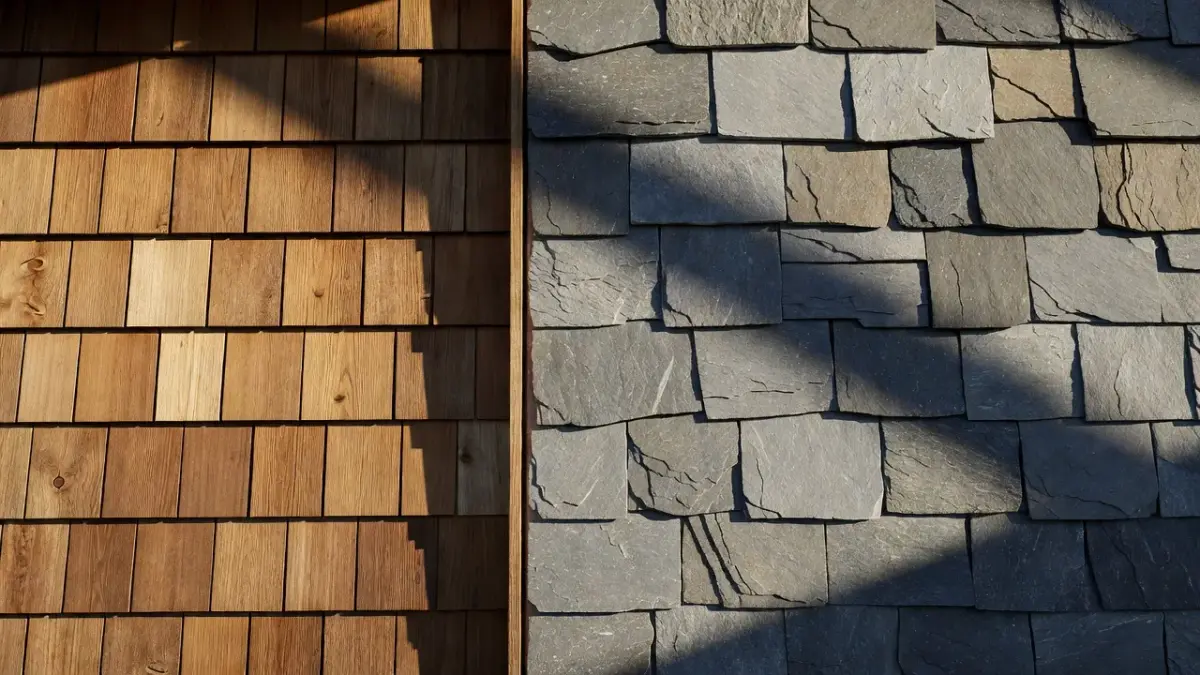
As of 2026, AI exterior design tools have shifted from static color overlay filters to real-time generative lighting and material synthesis. Modern diffusion models no longer paste flat color textures over walls; instead, they simulate how physical light reflects off specific siding materials, rough stone, or high-gloss paint under varying daylight conditions.
Several technological breakthroughs define the current era of exterior visualizers:
1. Zero-Manual Masking
Early exterior apps required users to carefully trace wall borders, window grids, and roof edges with a finger or stylus. In 2026, real-time semantic segmentation models automatically recognize structural lines, plant life, vehicles, and sky backgrounds without human intervention.
2. Context-Aware Landscaping Synthesis
Older tools struggled with plants, often rendering trees as green blobs or accidentally painting leaf canopies. Today's AI engines understand regional plant botany and hardscaping logistics. When users request front yard upgrades, tools generate regionally appropriate shrubbery, lawn borders, and paving options. Homeowners looking to lower maintenance can easily test options like a desert front yard landscape before buying gravel or drought-tolerant plants.
3. Integrated Architectural Style Presets
Instead of editing individual building components one by one, users can swap overall architectural aesthetics instantly. With apps like Renova AI, a dated mid-century ranch home can be instantly visualized as Modern Farmhouse, Coastal, Japandi, or Minimalist with a single tap.
| Starting Style | Transformation | Resulting Styles |
|---|---|---|
| Dated Ranch Exterior | 1-Tap AI Transformation | Modern Farmhouse Style |
| Japandi Exterior | ||
| Spanish Mediterranean |
4. Direct Financial ROI Mapping
Real estate professionals routinely use generative visualizers to gauge renovation return on investment before placing listings on the market. Showing potential buyers a realistic view of an upgraded façade drastically improves buyer interest. As detailed in industry analyses on real estate curb appeal, quick visual upgrades like updated front doors, low-maintenance landscaping, and modernized garage doors yield some of the highest cost-to-value returns in residential real estate.
How to use curb appeal AI to plan a budget-friendly home makeover
Using curb appeal AI effectively requires systematically testing high-impact, low-cost modifications before committing to major structural overhauls. By visualizing quick adjustments like paint, front door style, and entryway lighting, homeowners can avoid wasting money on projects that offer minimal visual return.
Follow this four-step planning framework to maximize your makeover budget:
Step 1: Capture a High-Quality Source Photo
Take your baseline photo on an overcast day or during mid-morning hours to minimize harsh glare and extreme shadows. Ensure vehicles, garden hoses, and trash bins are removed from the driveway so the AI segmentation engine reads clean architectural lines.
Step 2: Test Exterior Paint and Accent Colors First
Paint remains the highest-ROI exterior upgrade available. Use your chosen visualizer to test body paint alongside contrasting trim colors, following a step-by-step exterior repainting guide for best results. Pay close attention to how dark body colors affect perceived home scale versus lighter off-white and neutral greys.
Step 3: Upgrade Front Entryway Focal Points
Focus your initial budget on the direct line of sight from the street to the front entrance:
- Front Door: Swap flat paneled doors for modern glass-lite options.
- Portico & Lighting: Replace small sconces with properly scaled exterior lanterns.
- House Numbers: Preview modern vertical typography against wood or stone backing panels.
If you are dealing with constrained entryway square footage, reviewing small-scale design concepts like a small front porch budget upgrade helps identify high-impact details without overspending on concrete work.
Step 4: Redesign Walkways and Plant Beds
Once house body aesthetics are locked in, run landscape concept iterations. Test defined stone edging around plant beds, replace patchy grass with gravel or bark mulch, and add structured walkway pathways to draw the eye cleanly to the front door.
Frequently Asked Questions
What is the best free AI tool for home exterior design?
The best option depends on your specific goals. For immediate style ideas, Renova AI provides three free generations to preview over 100 design styles without requiring manual editing. For pure paint swatch matching, Home Depot's Project Color app offers free color previewing for Behr and Glidden paints.
Can AI design front yard landscaping and hardscaping?
Yes, modern AI design tools analyze front yard space to generate hardscaping ideas like flagstone walkways, retaining walls, and organized flower beds. These applications recognize ground boundaries and apply native plants, mulch, and pavers realistically relative to your home's foundation.
How accurate are AI curb appeal visualizers compared to real life?
Visual accuracy has improved significantly due to advanced lighting and texture algorithms. While generative AI tools provide highly accurate aesthetic direction for paint colors, siding textures, and plant placement, they do not replace architectural blue-prints or precise engineering measurements needed for heavy structural building permits.
Can real estate agents use curb appeal AI for virtual staging?
Yes, real estate agents frequently use curb appeal AI to show prospective buyers the hidden potential of a property with dated exterior finishes. Uploading listing photos to AI tools allows agents to include "concept visuals" in online tours, demonstrating how fresh paint or modern landscaping improves property value.
Do I need to manually trace windows and doors when using AI visualizers?
Most modern AI visualizers use automatic semantic segmentation, eliminating the need to manually trace walls, roofs, windows, or doors. The AI automatically detects different building elements and applies requested changes like new siding or repainted trim instantly.
How much does curb appeal AI software cost in 2026?
Consumer-focused AI design applications typically run on lightweight subscription models, such as Renova AI's $6.99 per week or $59 per year plan following initial free trials. Contractor-grade tools like HOVER charge per property report, often ranging between $20 and $50 per house model generated.