

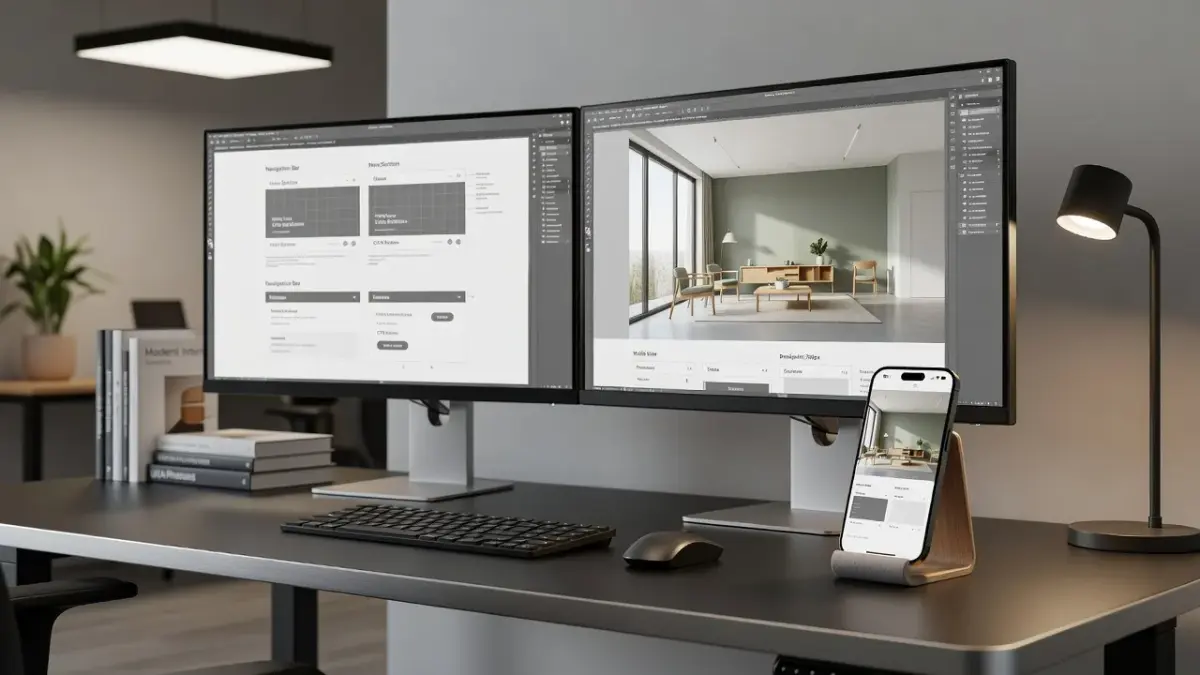
The best redesign app choices depend on whether you are updating software interfaces or reimagining physical environments. For digital applications, cloud platforms like Figma lead interface workflows, while generative spatial tools handle real-world property remodels. If you need to visualize architectural or interior changes on iOS, our Renova AI iPhone app generates instant room makeovers directly from a single photo.
Whether you are rebuilding a SaaS layout or planning a home makeover, choosing the wrong software leads to bloated budgets and wasted technical debt. This guide compares top-rated applications across digital UI/UX engineering and physical space planning as of November 2026.
Top Redesign Apps and Platforms Compared
Selecting software requires balancing platform limits, skill thresholds, and output formats. The comparative table below outlines pricing floors, platform support, and practical use cases across major digital and spatial redesign categories.
| Software | Primary Category | Platform Support | Free Tier Limits | Entry Paid Price |
|---|---|---|---|---|
| Figma | Interface & UI Redesign | Web, macOS, Windows | 3 files, 3 pages | $12/month per editor |
| Renova AI | Spatial & Home Interior | iOS (iPhone) | 3 free generations | $6.99/week or $59/year |
| Framer | Interactive Prototyping | Web, macOS, Windows | 1 published site, banner | $15/month per site |
| Hotjar | UX Behavior Research | Web (Script snippet) | 35 daily sessions | $32/month |
| Storybook | Design System Docs | Cross-platform (CLI) | Open source (Free) | Free self-hosted |
| Zeplin | Hand-off & Specifications | Web, macOS, Windows | 1 active project | $8/month per seat |

What are the best design tools for an app redesign: Figma, Sketch, or Adobe XD?
Figma is the industry standard for app redesigns because it combines real-time multi-user editing with cloud vector graphics. While Sketch pioneered modern interface design, its desktop-only macOS limitation slowed cross-functional engineering workflows. Adobe XD previously offered competition, but Adobe officially sunset active updates for XD in late 2023, steering software teams toward cloud-first vector alternatives.
REDESIGN TOOL COMPARISON
| Feature | Figma | Sketch |
|---|---|---|
| Operating System | Web, Mac, Windows | macOS Only |
| Real-Time Sync | Native Cloud | Plugin-based Sync |
| Design System Sync | Variable Tokens | Color Swatches |
How does Figma handle collaborative interface redesigns?
Figma allows product teams to collaborate simultaneously inside canvas files with zero version-merge conflicts. According to Wikipedia's entry on Figma, the web-based tool runs natively in browsers via WebAssembly, allowing product managers and engineers to comment directly on visual components. As of November 2026, Figma's auto-layout 5.0 updates let team members model responsive auto-wrapping layouts without writing CSS grid code manually.
When should teams still consider Sketch or Adobe XD?
Teams should only choose Sketch if they require fully offline local file storage or strict macOS sandbox security. Because Adobe discontinued active product development for Adobe XD, migrating away from XD is necessary to avoid software compatibility risks. If your organization operates under air-gapped security guidelines where cloud sync is blocked, local .sketch files offer an offline solution.
What are the best prototyping tools: Framer, ProtoPie, Principle, or Marvel?
Framer is the premier prototyping tool for web and app overhauls because it outputs production-ready React code directly from visual canvases. Simple clickable prototype tools like Marvel work well for basic screen transitions, but complex micro-interactions require conditional logic engines. When evaluating interactive apps, selection depends on whether you need simple presentation slides or hardware-level device integration.
- Framer: Best for publishing web layouts directly using layout components and CSS-based animation controls.
- ProtoPie: Best for advanced mobile app interactions, including sensor access, multi-touch gestures, and API payloads.
- Principle: Best for Mac designers crafting timeline-based liquid UI animations for iOS software presentation reels.
- Marvel: Best for rapid low-fidelity paper prototype testing with zero learning curve.
How does Framer bridge design and production code?
Framer compiles visual layout frames directly into clean HTML and React components without requiring secondary translation software. Designers construct web layouts using layout containers that match CSS Flexbox mechanics. This means an interface built inside Framer can go live as a functional web screen, cutting front-end development timelines by up to 50 percent.
When do high-fidelity logic tools like ProtoPie make sense?
ProtoPie is necessary when your redesign demands complex conditional variables, keyboard input testing, or smartphone camera permissions. Unlike standard frame-to-frame click triggers, ProtoPie processes real conditional math equations inside the prototype. I recommend ProtoPie whenever a team must simulate complex features like credit card processing forms or biometric login screens before sending code to developers.
How AI redesign apps streamline home and space transformations
While digital product teams use software suites to update mobile layouts, home owners face a different problem: visualizing physical interior and exterior spaces. Using a dedicated ai home redesign mobile tool eliminates the guesswork of buying expensive furniture or hiring expensive interior designers.
Our iPhone application, Renova AI, solves spatial planning problems by transforming photos into realistic architectural renders within seconds. Instead of dragging 3D models into confusing CAD grids, you simply capture a photo of your existing living room, kitchen, bathroom, or outdoor garden.

The system processes spatial depth automatically, allowing you to test over 100 curated design styles like Japandi, Modern Farmhouse, Minimalist, and Art Deco. For homeowners dealing with clutter, the app removes unwanted items from the frame and handles full floor swaps or wall repaints.
The software requires no manual editing or masking skills, a shift covered in our guide to AI-based interior design in 2026. You can test your initial 3 generations for free on iOS; full access runs $6.99 per week or $59 per year for unlimited spatial renders.
What are the best UX research tools: Hotjar, FullStory, Maze, Lookback, or UserTesting?
Hotjar and FullStory are the best passive UX research tools for discovering usability bugs, while Maze and UserTesting excel at active task evaluation. Redesigning an app without user analytics usually results in shifting visual layout elements that users already liked. Gathering behavior metrics ensures your engineering team fixes genuine user friction rather than superficial aesthetic preference.
Two categories sit side by side: PASSIVE UX RESEARCH on the left and ACTIVE UX RESEARCH on the right. Each category lists its tools beneath it.
| Category | Description | Tool |
|---|---|---|
| PASSIVE UX RESEARCH | Tracks aggregate behavior patterns | Hotjar: Heatmaps & Scroll Maps |
| PASSIVE UX RESEARCH | Tracks aggregate behavior patterns | FullStory: Session Replays |
| ACTIVE UX RESEARCH | Tests specific user task paths | Maze: Unmoderated Prototype Tasks |
| ACTIVE UX RESEARCH | Tests specific user task paths | UserTesting: Video Panel Feedback |
How do Hotjar and FullStory capture passive user behavior?
Hotjar and FullStory record real user interactions by embedding lightweight JavaScript trackers directly into application code. As detailed in Hotjar's software overview, the app generates visual heatmaps that show exactly where users click, tap, and abandon forms. FullStory takes this further by capturing rage clicks and broken links, helping product teams spot hidden friction before drafting new visual screens.
When should you run unmoderated task testing with Maze or UserTesting?
You should deploy Maze or UserTesting during the wireframe phase before writing production code. Maze imports Figma or Framer canvas links, prompting remote test participants to complete specific goals like checking out or updating password settings. The tool calculates quantitative completion rates, misclick percentages, and average task duration to reveal whether your new architecture is intuitive.
What are the best design system tools: Storybook, Zeroheight, or UXPin?
Storybook is the gold standard for engineering component libraries, whereas Zeroheight serves best as a centralized brand documentation hub. Maintaining design consistency across iOS, Android, and web versions of an app requires strict system synchronization. Without centralized component rules, UI redesigns quickly degrade into mismatched typography, inconsistent padding, and non-standard button colors.
- Storybook: Open-source workshop environment for building UI components in isolation using React, Vue, or Angular.
- Zeroheight: Cloud platform that syncs Figma tokens and Storybook code snippets into human-readable brand style guides.
- UXPin: Interactive design environment powered by real code components via Git synchronization.
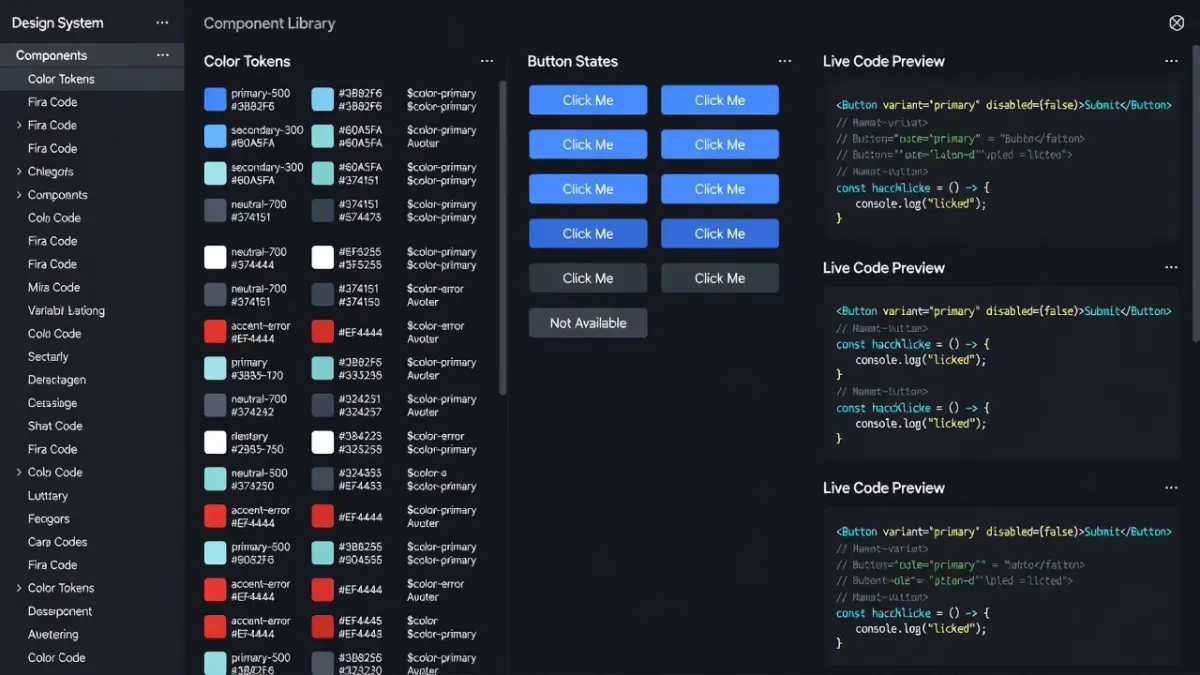
Why is Storybook the benchmark for code component libraries?
Storybook allows developers to build, test, and render isolated UI components without launching a complex backend environment. According to the Storybook documentation, developers can write "stories" that document every component state, such as disabled buttons, loading spinners, or error banners. This isolated approach guarantees that front-end code components work reliably across different screen sizes.
How does Zeroheight sync design documentation across teams?
Zeroheight connects design files directly to web documentation pages, updating live color tokens and typography automatically. Product managers do not need to rewrite style guides manually when visual guidelines change. Instead, Zeroheight pulls vector assets from Figma and code embeds from Storybook, creating a unified manual that non-technical teams can reference.
What are the best design handoff tools: Zeplin, Figma Inspect, or Abstract?
Zeplin remains the top dedicated handoff tool for complex enterprise engineering teams, though Figma Inspect handles standard handoffs without extra plugins. Handoff tools extract CSS, Swift, and Android XML code attributes directly from visual layout screens. Choosing between native inspection and dedicated handoff platforms depends on your current version control workflow and external developer dependencies.
Is Figma Inspect enough or do you need Zeplin?
Figma Inspect is completely sufficient for small to medium product teams working within a unified software ecosystem. It provides inspect properties, CSS snippets, and asset export buttons natively inside the canvas. However, if your company works with third-party software agencies who shouldn't have full edit access to master vector files, Zeplin offers a secure, read-only handoff space.
How does Abstract handle version control for legacy design stacks?
Abstract brings Git-style branching and master-file merging to legacy desktop applications like Sketch. Before native cloud branching existed, visual designers frequently overwrote core master assets by accident. Abstract creates isolated local branches where designers iterate safely before committing merged changes back to the production repository.
What does the Nielsen Norman Group recommend for the app redesign process?
The Nielsen Norman Group recommends an iterative, incremental redesign strategy rather than a sudden, radical visual overhaul. According to research on usability and redesign strategies by the Nielsen Norman Group, complete site or app overhauls frequently trigger user shock, destroying familiar navigation habits and tanking conversion rates.
NN/g Recommended Redesign Process
- Audit Baseline Metrics (Analytics, Heatmaps, Usability)
- Define Core User Problems (Isolate Friction Points)
- Conduct Incremental Testing (A/B Test Key Component Updates)
- Roll Out Phased Changes (Avoid Sudden Navigation Shifts)
- Re-measure Metrics Against Original Baseline
To avoid severe user friction during a mobile or web app overhaul, consider these guidelines established by usability researchers:
- Preserve mental models: Keep core features, search bars, and account settings where users expect them to be.
- A/B test core changes: Test new checkout flows against control layouts using live traffic subsets before full deployment.
- Provide onboard onboarding: Offer short dismissable tooltips explaining where key features moved if visual shifts are mandatory.
- Monitor user sentiment: Track customer support tickets and app store review ratings closely for 14 days following an update.
Key requirements and limits that rule out certain redesign apps
Every platform carries technical constraints that exclude it from specific projects. Choosing software without accounting for platform limits creates massive workflow bottlenecks.
Platform restrictions and operating system locks
Software selection often hinges on team hardware configurations. If your engineering team uses Windows workstations, choosing Sketch immediately creates a block because Sketch operates exclusively on macOS. Similarly, mobile spatial tools like Renova AI require modern iOS camera hardware, ruling out desktop web use for real-time room scans.
Learning curves and technical dependencies
Building interactive prototypes inside Framer requires a solid understanding of CSS flexbox rules and layout logic. If your design team consists purely of traditional graphic artists, forcing a code-heavy platform slows down project delivery. For basic spatial remodeling, opting for complex 3D CAD platforms like AutoCAD requires months of technical training, whereas specialized renovation ai apps automate visual renders directly from camera uploads.
Subscription tiers and seat cost scaling
Pricing models scale rapidly once cross-functional teams join a cloud workspace. While Figma offers a free tier, enterprise seats cost $75 per month per editor, which quickly strains small startup budgets. Paying close attention to monthly user thresholds prevents unexpected software expenses mid-project.
How to choose the right redesign software for your project
Matching your project scope to the correct application saves significant time and money. Use this simplified breakdown to select the best platform based on your primary objective:
- For iPhone space remodels: Download an automated spatial application to test room colors and layout shifts instantly without manual CAD modeling.
- For web and product UI layout: Standardize on Figma to keep UI design, component libraries, and visual inspection inside one cloud environment.
- For code component systems: Deploy Storybook alongside Zeroheight to maintain alignment between React code libraries and visual design guides.
- For complex interactive prototypes: Utilize ProtoPie to validate micro-interactions, API triggers, and hardware sensor features before development begins.
If you are planning a physical home makeover, trying our Renova AI app on iOS provides an easy way to visualize spatial transformations before spending thousands on physical contractors.
Frequently Asked Questions
What is the difference between a redesign app for digital UI and physical spaces?
A digital UI redesign app focuses on user interface elements, wireframes, vector assets, and code handoff for software applications. A physical space redesign app processes real-world property photos to render virtual home remodeling, wall paint updates, and furniture arrangements.
Is Figma completely free for app redesign projects?
Figma offers a free starter tier that includes up to 3 active files and 3 canvas pages with unlimited view-only collaborators. Full team collaboration, variable design tokens, and unlimited project files require paid tier plans starting at $12 per editor per month.
How do I use a redesign ai app to plan a room renovation?
To use a redesign ai spatial tool, snap a clear photo of your space using your mobile device. Select your preferred style option like Modern or Japandi, and let the software render updated floors, walls, and furniture layouts automatically.
Why do users dislike sudden app redesigns?
Sudden app redesigns disrupt established spatial memory and muscle memory. When navigation menus or buttons shift without notice, users experience cognitive friction, leading to reduced task efficiency and lower app store ratings.
Can I build a live website directly inside Framer?
Yes, Framer compiles visual canvases into production-ready web code. You can link custom web domains, optimize SEO metadata, and publish functional responsive websites directly from Framer without writing manual front-end code.
What is the fastest way to get feedback on a mobile app wireframe?
The fastest way to collect feedback is importing your prototype screens into Maze or Hotjar. These platforms distribute task tests to targeted user panels, delivering task success rates and user heatmaps within a few hours.
How much does an AI home redesign app cost?
Most AI room visualizer tools offer limited free trial credits. For example, Renova AI provides 3 free image generations upon download, with full subscription plans priced at $6.99 per week or $59 per year for unlimited spatial renders.